Start your trial
Accelerate your digital transformation
Sign in or create a MyETAP account to unlock 30-day trials for ETAP, SEE, and Caneco.
Sign in or sign up to try a Demo
Explore Our Solutions Today
From design and engineering to operations and maintenance, our free 30-day software trials allows you to explore products, features and functionalities.
ETAP Power Simulator Online Demo
- No installation necessary - start immediately
- Try features and analyses using sample projects
- Follow self-guided tutorials
Demo Downloads
Explore our electrical solutions in your own environment.
- Explore our products in your own environment
- Run locally & evaluate on a single instance
-
Sample projects
included - See the documentation for more details

Caneco Demo Download
Software suite for automated low-voltage electrical design and documentation
The all-in-one solution for electrical design in buildings and infrastructure.
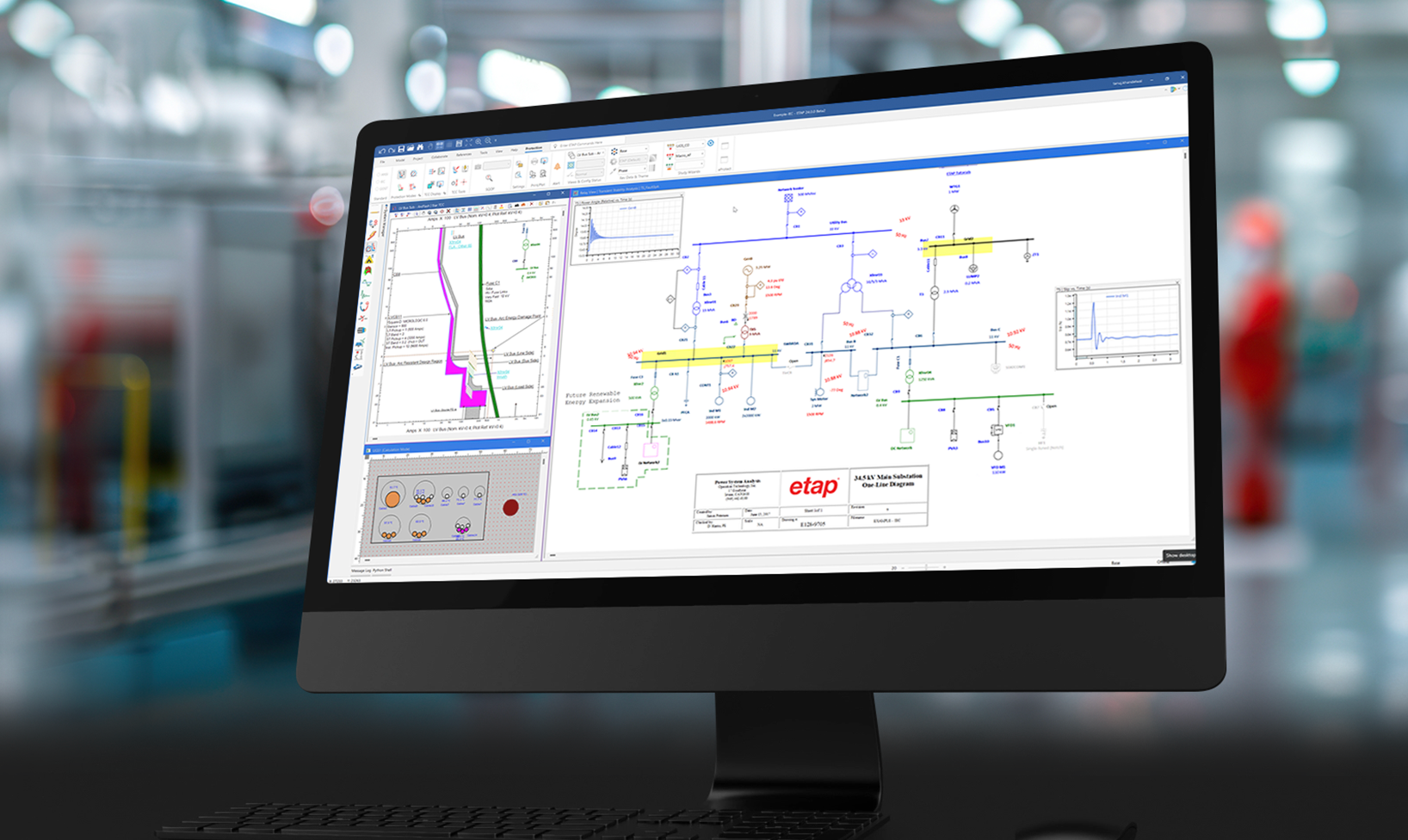
ETAP Power Simulator Demo Download
Electrical power system analysis & simulation software
Analyze complex power systems with pre-selected modules and sample projects.

SEE Electrical Demo Download
Electrical CAD software for 2D and 3D electrical design
Create electrical schematics with SEE Electrical in just a few clicks.
Got a question?
Download or installation questions?
Please contact sales@etap.com
Personalized 1:1 Demonstration
Get a tailored demonstration of a specific solution with a Product Specialist.
Perfect for teams and organizations seeking tailored guidance.

1:1 Demonstration - CANECO Electrical Network Design and Compliance
Schedule a personalized demonstration with a product specialist for the Caneco solutions based on your specific interests - LV/MV electrical engineering for buildings and infrastructure, CAD/BIM interoperability, and more.

1:1 Demonstration - ETAP Power System Design, Analysis, Operations, and Automation
Schedule a personalized demonstration with a product specialist for the ETAP solutions based on your specific interests - arc flash safety, electrical digital twin, microgrids, network project management, rail traction systems, SCADA and more.
1:1 Demonstration - SEE Solutions for Design, Engineering and Manufacturing
Schedule a personalized demonstration with a product specialist for SEE solutions based on your specific interests - electrical CAD, electrical schematics, electrical cabinets, panel layouts, wire harness systems and more.

CANECO 1:1 Demonstration
Customized demonstration based on your specific needs.
Direct interaction with product specialists focused on your industry challenges.
ETAP 1:1 Demonstration
Customized demonstration based on your specific needs.
Direct interaction with product specialists focused on your industry challenges.
SEE ELECTRICAL 1:1 Demonstration
Customized demonstration based on your specific needs.
Direct interaction with product specialists focused on your industry challenges.
Frequently Asked Questions
Everything you need to know about ETAP trials and demos
-
How much time do I have to try the Demo version, and is there a cost?
Our Demos are available free for 30 days to allow you to evaluate the software at your own pace. If you need additional time, you can request a personalized 1:1 Presentation with a request for an extension, or contact our Sales Department at sales@etap.com. Some restrictions apply.
-
Which e-mail address should I use to access a Demo version?
A corporate e‑mail address is required to ensure secure access and to verify that demo requests come from legitimate business users. This helps ETAP provide the appropriate level of support, protect licensed technology, and ensure the demo is used for professional evaluation. Some restrictions apply.
- Where can I access the Demo documentation?
-
Can I use ETAP or SEE Electrical Demo versions for commercial or university projects?
No. Demo versions are intended only for evaluation, learning, and training purposes - not for real‑world commercial or academic project work.
- The ETAP demo includes functional limitations such as disabled saving, limited printing, restricted Data Exchange, and limited project size, which prevents its use for official engineering deliverables or project submissions.
- The SEE Electrical trial also limits you to only three schematic pages per project, making it unsuitable for full university assignments or commercial designs.
For actual engineering work, client deliverables, or university capstone/thesis projects, you must obtain a full licensed version. You can request a price quote on the full versions of our software here: Request pricing -
What happens during a personalized 1:1 Presentation?
During your customized one-on-one session, you can expect:
- That we will listen to your goals and project requirements
- You'll have the opportunity to include others at your company in the presentation
- You'll get a customized demo tailored to your industry and use cases
- You have the option to use your sample drawings or data
- We'll give you an overview of relevant features of the software
- You'll get a live demonstration of core workflows
- We'll go deeper as needed into libraries, symbols, standards, and templates
- The presentation will showcase reports, schedules, and deliverables
- We will discuss collaboration and revision management functionality
- You'll get an overview of integration options and deployment choices
- We will answer your technical Q&A addressing your specific workflows
- We'll introduce you to our Services and Learning pathways
- We will follow‑up with recommended next steps and resources
-
What if I have more questions about setting up or installing a Demo?
Please contact sales@etap.com. You can also request a Personalized 1:1 Demonstration for an in depth walkthrough.
-
What are the benefits of using the ETAP Online Demo over the Demo Download version?
The ETAP Online Demo provides a fast, convenient, and hassle‑free way to evaluate ETAP, offering several advantages:
- No installation required – Access the demo instantly without IT support, admin rights, or software setup.
- No activation code required – You can launch the demo immediately after registering. Authentication is built into the online platform, eliminating the need to enter or wait for an activation code.
- Always up to date – The online demo automatically runs the latest ETAP Demo version with no updates to install.
- Accessible from any device – Log in from multiple computers without tying your evaluation to a single machine.
- Lower hardware requirements – Processing is cloud‑based, so your local system doesn’t need high performance specs.
- Ideal for quick evaluations – Perfect for users who want to start exploring ETAP right away with minimal setup.
The downloadable desktop demo remains an option for users who prefer full local performance or offline access, but the online demo delivers the easiest, fastest start‑up experience.
NOTE: This version is only provided to users who provide a corporate e‑mail address. This helps ensure secure access, protects our licensed technology, and allows us to provide appropriate support.
-
What is included in an ETAP Online Demo?
The cloud-based ETAP Online Demo contains some limitations not present in the commercial version. The demo trial period is for 30 days – contact sales@etap.com for options beyond expiration date. Here's a summary of the ETAP Online Demo restrictions and modules:
- Create / Edit projects with up to Twelve (12) AC buses and Ten (10) DC buses.
- View Getting Started videos, sample projects, and other how-to videos.
- The demo is limited to Five (5) Star View (TCC) presentations.
- Saving and opening existing ETAP projects are disabled.
- Printing output reports are restricted to the original example project reports.
- The displayed results on the one-line diagram and the plots are based on the modifications made.
- Data Exchange functions are disabled.
- Components can be added to / modified onto the one-line diagram.
- Distribution Panel Boards have some limitations such as disabled Summary page, Report Manager Printing, Library Quick Pick Window, and fixed number of circuits.
- Sample Engineering Library is provided. Adding and copying functionality in the Library is disabled.
Modules available by default in the cloud-based demo version
- Auto-Build and Rule Book One-Line Diagram Load Flow
- Wind Turbine Generator and PV Array Elements
- Panel Systems • Short Circuit (ANSI, IEC)
- Star™ - Protective Device Coordination
- Star Sequence-of-Operation
- AC Arc Flash
- Motor Acceleration (Dynamic and Static)
- Harmonics (Load Flow and Frequency Scan)
- Transient Stability
- Unbalanced Load Flow / Open Phase Fault
- Optimal Power Flow
- Load Analyzer
- DC Load Flow
- DC Short-Circuit
- DC Arc Flash
- Battery Sizing & Discharge
- Reliability Assessment
- Optimal Capacitor Placement
For a full list of features and restrictions, see ETAP Live Demo Features and Restrictions.
-
What if the feature I want to try isn't available or is limited in the Demo?
Demo versions give you access to many core features and study tools. Certain features may not be available or may be limited in their capabilities. The Demo versions help you to learn the interface and run basic analyses - not to perform full production engineering work.
- For example, in the ETAP Online Demo, advanced engineering modules, enterprise features, real‑time systems, cable engineering tools, GIS, or large‑project capabilities. Learn more about the restrictions to this Demo: ETAP Live Demo Features and Restrictions
- For example, in the ETAP Online Demo, advanced engineering modules, enterprise features, real‑time systems, cable engineering tools, GIS, or large‑project capabilities. Learn more about the restrictions to this Demo: ETAP Live Demo Features and Restrictions
-
What is the difference between IEC and NFPA standards in the SEE Electrical Demo?
The SEE Electrical Demo offers projects based on IEC and NFPA standards. The main difference is in the design conventions and electrical standards used in each region:
IEC (International Electrotechnical Commission)
- Commonly used in Europe, Asia, Africa, and most of the world
- Uses metric units, IEC symbol libraries, and IEC wiring conventions
- Diagrams follow IEC rules for device tagging, wire numbering, and schematic layout
NFPA (National Fire Protection Association / NEC-based)
- Primarily used in the United States and parts of North America
- Uses imperial units and follows NFPA 70/NEC electrical practices
- Schematics include U.S.‑style symbols, device naming, wire coding, and panel layout conventions
In the SEE Demo, your choice simply loads the matching symbol libraries, templates, and drawing rules for the standard you work with.
-
Why am I experiencing performance issues with the ETAP Online Demo?
The ETAP Online Demo may not perform as expected for several common reasons:
- Internet connection speed – A slow or unstable network can affect loading and responsiveness.
- Browser performance – Outdated browsers, too many open tabs, or heavy extensions running while you try to use the Demo can reduce performance.
- System resources – Limited RAM or high CPU usage from other applications can impact the demo’s speed.
- Regional latency – Depending on your location, there may be increased latency when connecting to the Demo servers.
- Firewall or VPN interference – Corporate firewalls, proxies, or VPNs can restrict bandwidth or block certain services.
If the demo continues to run slowly, try switching networks, closing unused applications, or using a different browser. If issues persist, contact our Help Center for assistance.
-
How can I resolve the message "Failed to connect to Database" when I try to access the ETAP Online Demo?
If this message is displayed at any point, click “OK” and then close the browser tab for the ETAP Online Demo.
From the Online Demo page, wait 15 seconds and then re-launch the demo by clicking on the Resume button.

Trusted by Industry Leaders